
Description
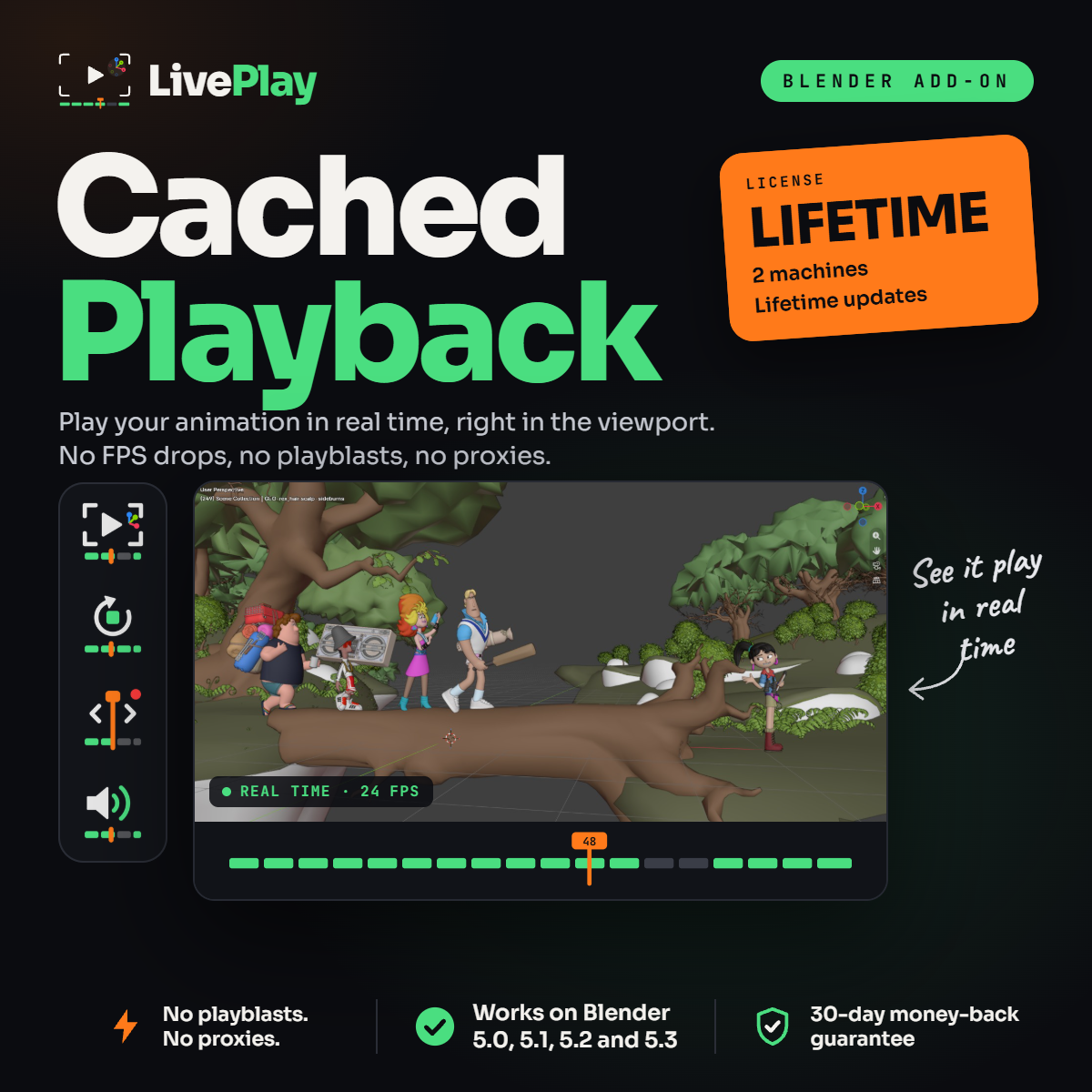
LivePlay Cached Playback is a Blender playback addon that lets you watch your animation in real time, right in the 3D View. Heavy rigs, multiple characters and a full set play back at full speed, so you can judge your timing the moment you hit play.
The Lifetime license covers 2 machines and includes every future update, so LivePlay keeps up with new Blender versions without paying again.
Blender Real-Time Playback, Right in the 3D View
When a scene gets heavy, Blender playback drops frames and your animation stutters. The usual fix is to render a playblast and wait for a flat 2D video just to check your timing. LivePlay caches your animation and plays it back in real time inside the viewport. You can orbit the camera and check the shot from any angle while it plays.
Fix Blender Animation Lag Without Proxies
Proxy rigs change your character’s silhouette and strip the textures, so you end up judging a different character. Hiding collections to gain FPS means you stop seeing how everyone moves together. With LivePlay, you keep the real mesh, its shaders and textures, and the whole scene visible, and it still plays in real time.
Cached Playback That Only Updates What You Change
Tweak a key in the Graph Editor and LivePlay re-caches only the frames you touched. The rest of the shot stays ready, so you hit play and see the change right away. No new playblast for every small fix.
A Blender Playblast Alternative for Animators
LivePlay is built for the animation workflow: blocking, splining and polish. Instead of rendering, waiting and opening a video player, you stay in Blender and keep animating.
- Real-time playback – watch your animation at full speed in the 3D View.
- Auto Cache – LivePlay caches your animation for you.
- Cache as you scrub – drag the playhead and the cache is recorded as you go.
- Audio playback – check lip sync and beats while the animation plays.
- Saved cache – close Blender, come back later and your cache is still there.
- One-click setup – turn LivePlay on and hit play. No selecting meshes, no settings to learn.
What’s Included in LivePlay Lifetime
- LivePlay Cached Playback addon for Blender
- License for 2 machines
- Lifetime updates
- Compatible with Blender 5.0, 5.1, 5.2 and 5.3
- Instant download
- 30-day money-back guarantee
How to Install the Blender Playback Addon
In Blender, go to Edit › Preferences › Add-ons, open the menu at the top right and choose Install from Disk. Select the LivePlay .zip file. The LivePlay tab appears in the N panel of the 3D View. Click the button and press play.
Frequently Asked Questions
Do I still need to render playblasts?
Not to check your timing. LivePlay plays your animation in real time right in the 3D View, with no render step.
Is this a subscription?
No. The Lifetime license is a one-time payment and includes every future update.
What does “2 machines” mean?
You can use LivePlay on two computers, like a studio desktop and a laptop. Need more? Contact us about a Studio license.
What if it doesn’t work for me?
You’re covered by the 30-day money-back guarantee. Ask for a refund within 30 days of your purchase.

Reviews
There are no reviews yet.