
Description
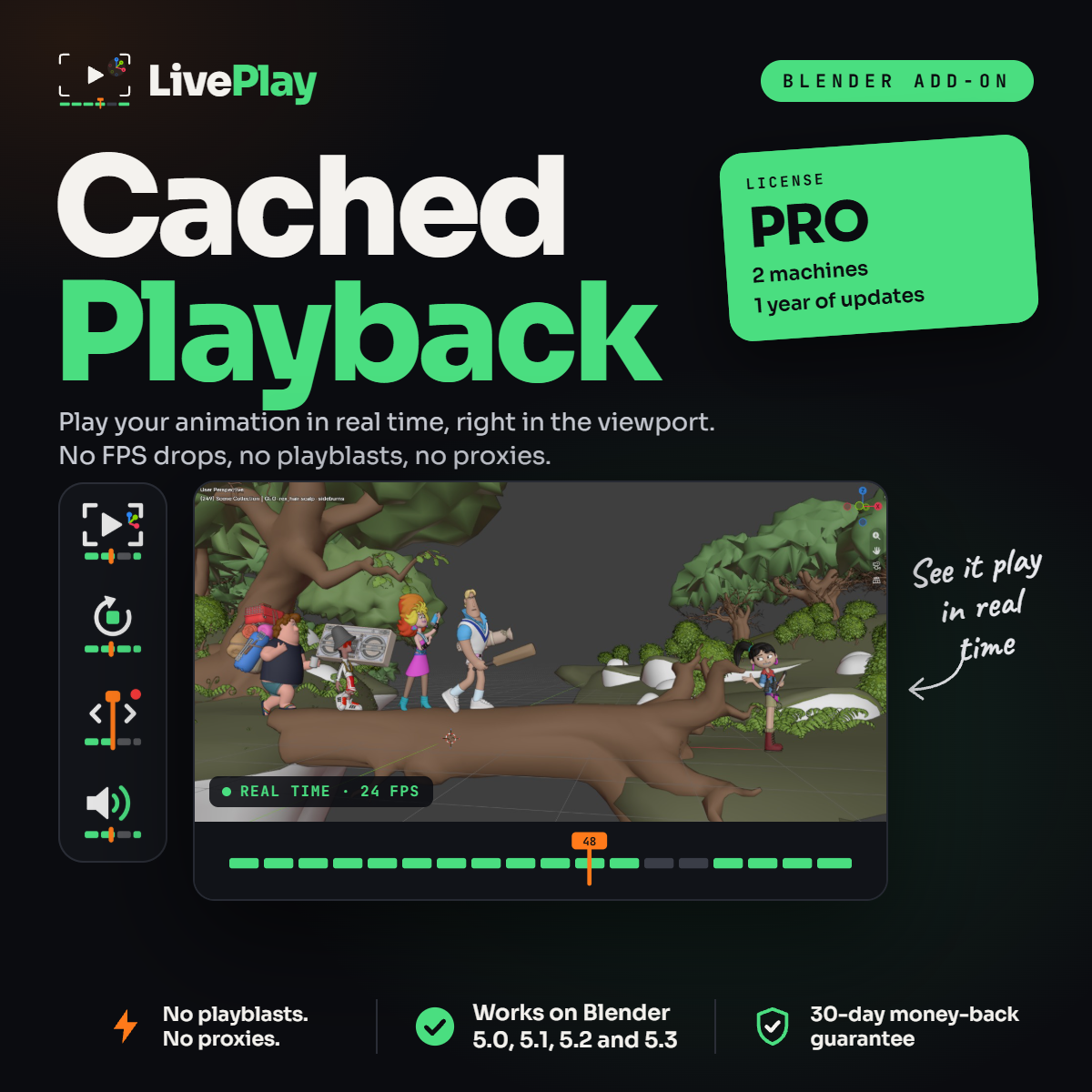
LivePlay Pro brings Blender real-time playback to both of your computers. Whether you animate on a studio desktop or on a laptop away from your desk, your animation plays at full speed right in the 3D View.
Pro is made for freelancers and professional animators who switch between machines and can’t afford to lose time waiting for playback.
Real-Time Playback for Heavy Blender Scenes
Production shots are heavy: detailed rigs, several characters, a full set. That’s exactly when Blender playback starts to lag. LivePlay caches your animation and plays it back in real time, so a crowded shot plays just as smoothly as a single character.
Stop Waiting for Playblasts
A playblast turns your 3D scene into a 2D video you have to wait for – and render again after every small change. With LivePlay you stay in the 3D View, orbit the camera while the animation plays and see your fixes the moment you make them. Only the frames you change get re-cached.
Keep Your Real Characters and Your Whole Set
No more swapping in proxy rigs that change the silhouette, and no more hiding collections to gain FPS. LivePlay plays back the real mesh with its shaders and textures, with every character in the scene visible at once.
Features
- Real-time viewport playback at full speed
- Auto Cache that updates only what you change
- Cache as you scrub the timeline
- Audio playback for dialogue and music
- Saved cache – reopen the file and press play
- One-click setup from the N panel
What’s Included in LivePlay Pro
- LivePlay Cached Playback addon for Blender
- License for 2 machines
- 1 year of updates
- Compatible with Blender 5.0, 5.1, 5.2 and 5.3
- Instant download
- 30-day money-back guarantee
Installation
Install it on each of your two machines: in Blender, go to Edit › Preferences › Add-ons, open the menu at the top right and choose Install from Disk. Select the LivePlay .zip and the LivePlay tab appears in the N panel of the 3D View.
Frequently Asked Questions
Can I use it on my desktop and my laptop?
Yes. LivePlay Pro covers 2 machines.
What happens after my year of updates?
LivePlay keeps working with the last version you received. Want every future update? Choose LivePlay Lifetime.
Do you offer licenses for teams?
Yes. Contact us about a Studio license for 3 or more machines.
What if it doesn’t work for me?
You’re covered by the 30-day money-back guarantee.
Reviews
There are no reviews yet.